How to Make Great YouTube Thumbnails That Get More Clicks
Learn how to make good YouTube thumbnails with this guide on design, psychology, and strategy. Boost your CTR and get more views with proven techniques.
Learn More
5 min read
January 26, 2026

Discover how to optimize YouTube videos with our complete guide. We cover everything from click-worthy thumbnails to deep analytics for ultimate channel growth.

Written by:
If you want your videos to get seen on YouTube, you can't just upload and hope for the best. Long gone are the days of just stuffing keywords into your description and calling it a day. Success now comes from a complete, three-part strategy that starts long before you hit "upload."
This process is all about making sure your videos line up with what people are actually looking for and what the YouTube algorithm wants to promote.
Let's be real: having a great video isn't enough to grow a channel anymore. Visibility is something you have to build deliberately, treating every single video as a piece of a much larger puzzle. Thinking about how to optimize your YouTube videos isn't just a good idea; it's essential if you're serious about growth.
The algorithm today is incredibly smart. It looks at far more than just keywords, analyzing viewer signals and content quality in sophisticated ways. That means your optimization strategy needs to be just as smart. I've found it's best to break it down into three core stages.
This diagram shows how it all flows together, from planning your video to analyzing its performance and feeding those lessons back into your next project.
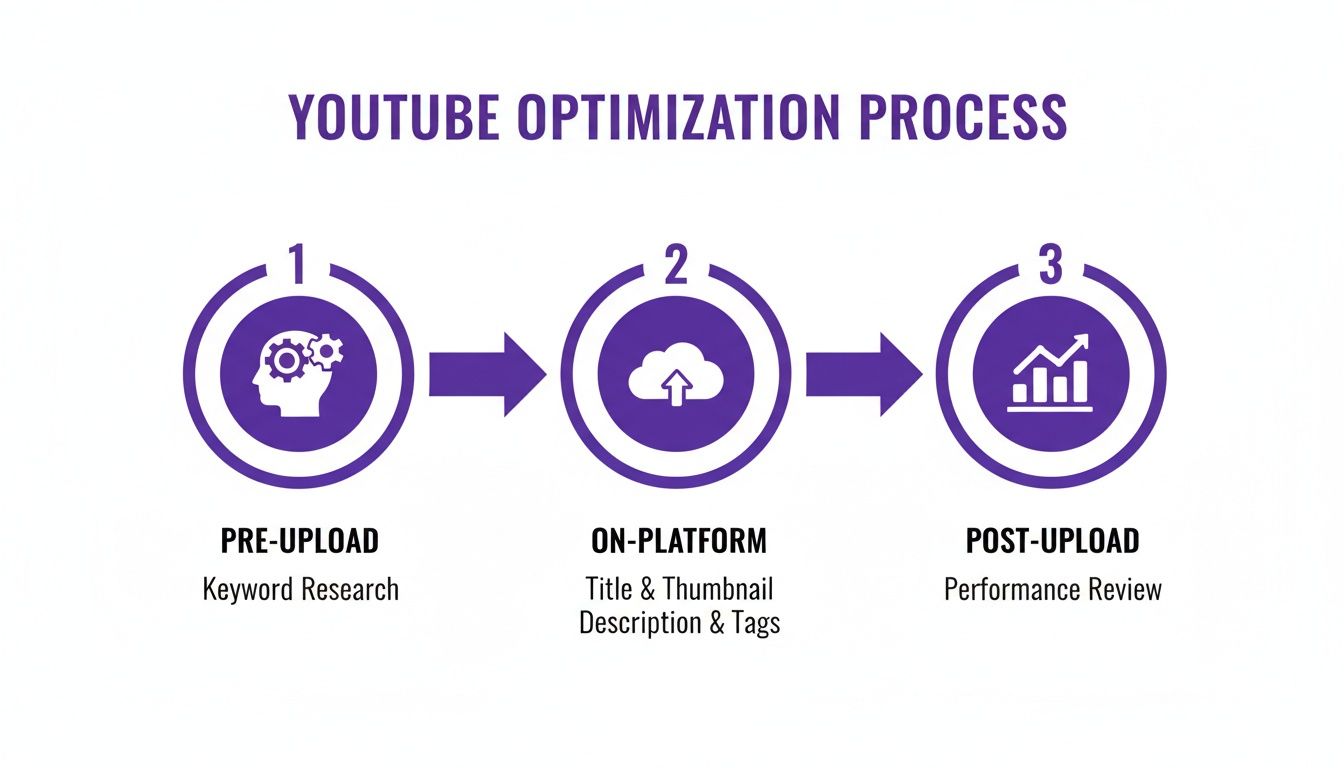
The key takeaway here is that optimization isn't a one-and-done task. It's a cycle. What you learn after publishing one video should directly influence how you plan and create the next one.
To help you get a clear overview of this modern workflow, I've broken down the three core pillars of YouTube optimization into a simple table. This is the framework I use for every video I produce.
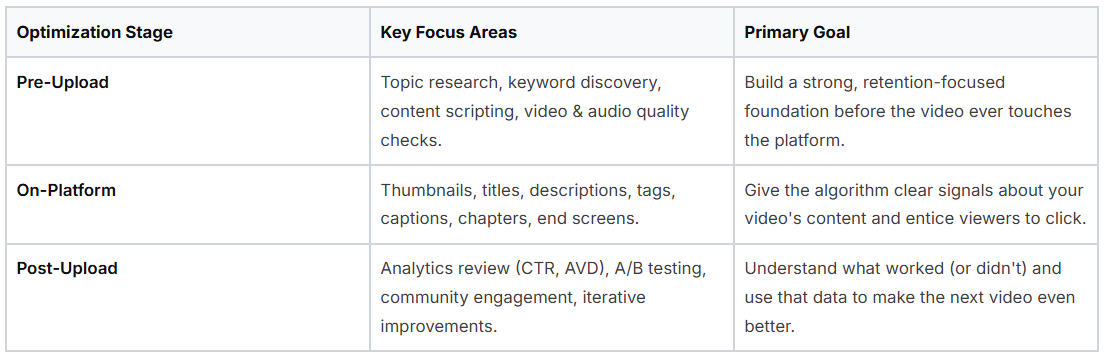
Mastering each of these stages transforms your content creation from a guessing game into a repeatable, data-driven process for real growth.
The YouTube algorithm has completely changed the game. With over 500 hours of video uploaded every single minute, the platform now uses advanced AI to analyze everything: the tone of your video, what’s happening on screen, and the deeper meaning of your content. This goes way beyond simple titles and tags. You can learn more about YouTube's AI-driven algorithm and what it means for creators from the deep dive on dataslayer.ai.
This evolution means that every single piece of your video, especially that all-important thumbnail, directly impacts whether the algorithm even considers showing your content to a new audience. If you want to stand out in today's crowded space, you have to master this new playbook.
Let's be real: optimizing a YouTube video doesn't start on the upload screen. If you're waiting until then, you're already behind. The videos that truly take off are built on a strategic foundation that's laid long before you ever hit "render." This pre-upload work is your secret weapon. It’s how you make sure there’s an actual audience waiting for the video you’re about to spend hours creating.
Too many creators fall into the trap of making what they think people want to see. The smart approach? Flip that around. Start by figuring out what people are already looking for, and then create the best possible video to answer their needs. This all begins with some simple, yet powerful, research.
Think of yourself as a detective. Your mission is to uncover the exact phrases and questions people are typing into that YouTube search bar. This isn't just about grabbing a popular keyword; it's about understanding the intent behind the search. This single step will shape your video's topic, title, and even your script.
One of the easiest ways to do this is right on YouTube itself. Head to the search bar and start typing a broad topic in your niche. Let's say you're in the photography space. Type in "how to edit photos" and just pause.
Those suggestions that pop up? That’s not a random list. That's YouTube telling you exactly what people are searching for most often. You've got a direct line into your audience's brain.
You'll see things like:
These longer, more specific phrases are what we call long-tail keywords. They are absolute gold. Why? Because they usually have less competition and attract a viewer who knows exactly what they want. Someone searching "how to edit photos for instagram" is far more likely to watch your whole video on that specific topic than someone who just typed the generic "photo editing."
Okay, you've got your topic and your target keyword. Now, you need to map out a video that grabs viewers and doesn't let go. The YouTube algorithm pays incredibly close attention to audience retention. A video that people stick around to watch is a video YouTube will promote.
I always think about my videos in three simple parts: the hook, the core content, and the call to action.
A Quick Tip from Experience: Your script isn't just a list of things to say. Read it out loud. Does it sound like a real person talking? If it feels clunky or robotic when you say it, it's going to sound even worse on camera. A natural, conversational delivery is everything.
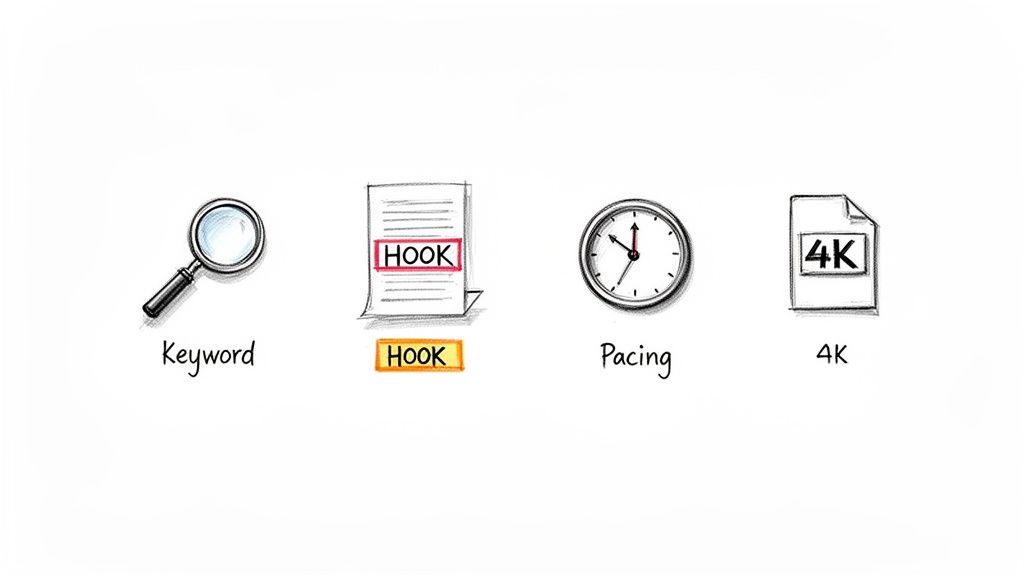
Finally, let's talk about the file itself. Before you get anywhere near that upload button, make sure your video file is polished and ready. A professional-looking and sounding video instantly builds trust. Poor quality is one of the fastest ways to get someone to click away, which kills your retention.
Here are the technical must-haves I always check:
Getting this pre-upload work done right is what separates the creators who get lucky from the ones who create their own luck. When you combine smart research with a strategic structure and technical polish, you're putting a video out there that's already primed to succeed.
Let's be blunt: your thumbnail and title are your video's make-or-break moment. Think of them as a one-two punch. They're your digital billboard, working together to stop a viewer mid-scroll and convince them to click. In my experience, nothing has a bigger impact on your video’s click-through rate (CTR) than this combination.
The thumbnail is the visual gut-punch that grabs their eye. The title is the promise that tells them why clicking is worth their time. Getting this right isn't about being a world-class graphic designer; it’s about understanding what makes people tick.
A great thumbnail doesn’t just show a still from your video; it evokes emotion and tells a micro-story in a split second. It has to be clear, compelling, and instantly understandable, even shrunk down to the size of a postage stamp on a phone screen.
What works? Human faces with strong, clear emotions. We're wired to connect with faces, so a look of shock, joy, or intense curiosity acts like a magnet. It makes the viewer wonder, "What caused that reaction?"
Color is your secret weapon. High-contrast, vibrant colors, like bright yellows, greens, and electric blues, leap off the screen, especially against YouTube's dark and light themes. A common pitfall is using too much red, white, or black as your background, which can blend into the YouTube interface. Use them as accent colors to make things pop instead.
The biggest mistake I see is clutter. A thumbnail crammed with text and icons is an instant turn-off. The best designs are brutally simple. Stick to a maximum of three core elements: a face, a key object, and maybe three or four powerful words.
Composition is key for guiding the eye. Use the rule of thirds to place your main subject slightly off-center for a more dynamic feel. And make sure any text is HUGE. Seriously. Zoom out until your thumbnail is tiny. Can you still get the gist of it? If yes, you're on the right track.
Once your thumbnail has done its job and snagged their attention, the title has to close the deal. A good title doesn't just describe the video; it opens a "curiosity gap" or promises a specific, can't-miss outcome. It needs to make the viewer feel like they have to know the answer.
For instance, "Gardening Tips" is a snooze-fest. But "5 Gardening Mistakes That Are Killing Your Plants"? Now we're talking. That second title creates urgency and speaks directly to a viewer's pain point.
Another killer technique is to mix a clear benefit with a dash of intrigue. A title like "How I Got 10,000 Subscribers in 30 Days (The REAL Strategy)" works because it states a huge result ("10,000 subscribers") and then adds a hook ("The REAL Strategy") that hints at exclusive, insider information.
Here are a few frameworks I see working consistently across niches:
Before you settle on a title, ask yourself: What’s in it for the viewer? What will they learn, feel, or be able to do after watching? Your title has to scream that value. For a much deeper dive on this, check out this guide on advanced YouTube thumbnail tips.
So, how do you actually know if your thumbnail and title are any good? You test them. A/B testing is simply trying out two different versions to see which one your audience clicks on more.
While YouTube's own testing feature is still rolling out, you can run your own DIY tests. Publish your video with Thumbnail A and Title A. Let it run for 24-48 hours and note the CTR. Then, swap in Thumbnail B and monitor the CTR for another 24-48 hours. Did the number go up?
The golden rule here is to only change one thing at a time. Test a thumbnail vs. another thumbnail, or a title vs. another title. Never change both at once, or you'll have no idea what actually caused the change in performance.
These little tests, done consistently over time, will teach you exactly what your audience responds to. Maybe they love questions in your titles. Maybe they click more on thumbnails without your face in them. This cycle of creating, testing, and learning is how you turn good CTR into great CTR.
You've nailed the thumbnail and title, and you got the click. Awesome. But your work isn't done. Now, you need to give YouTube's algorithm the right clues so it knows exactly what your video is about and who to show it to. This is where your metadata, specifically your description, tags, and captions, comes into play.
Think of metadata as your way of speaking directly to the YouTube system. Get it right, and you're essentially handing the algorithm a roadmap to find your ideal audience. This is a fundamental piece of the puzzle when you're trying to set your videos up for long-term discovery, not just a short-term spike.
Your video description is pulling double duty. Its first job is to signal your video's topic to the algorithm using your most important keywords. But just as crucial, its second job is to provide genuine value to your viewers.
Always start your description with a punchy, keyword-rich sentence or two that builds on the promise of your title. This is prime real estate because it's the snippet people see before they even consider clicking "Show more." Make it count.
After that initial hook, the rest of the description should be a resource hub for your audience. A perfect example is using timestamps to create video chapters. This simple addition breaks your video into easy-to-navigate sections, which can have a huge impact on watch time by letting viewers jump straight to the parts they care about most.
A great description is easy to scan and packed with useful info. I've landed on a simple framework that works for nearly any type of video:
A lesson I've learned over the years is that a good description is more about being helpful than about stuffing in keywords. The algorithm has gotten incredibly smart at understanding context. If you focus on writing for humans by providing links, resources, and clear chapters, the system will reward you for creating a better viewer experience.
Let's be clear: video tags don't have the same ranking power they used to. Your title and description do most of the heavy lifting these days. That said, tags still serve a purpose by helping YouTube clarify any ambiguity about your video's topic.
The best way to approach them is with a "specific-to-broad" strategy.
Start by adding a few highly specific phrases that perfectly describe your video's core subject. From there, work your way out to broader, more general terms that are still relevant. This layering technique helps you cover your bases and catch different search intents. You can explore more strategies for crafting effective titles and tags in our dedicated guide.
Manually reviewing your captions is non-negotiable, and for two big reasons: accessibility and SEO. YouTube's auto-captions have improved, but they're far from perfect. Taking a few minutes to edit them (or upload your own .srt file) ensures your message is crystal clear for viewers who are deaf, hard of hearing, or just watching with the sound off (which is a lot of people!).
From an SEO standpoint, that transcript is a treasure trove of data for the algorithm. Every single word you say becomes a searchable part of your video, giving YouTube a deep, nuanced understanding of your content.
Video chapters have a similar dual benefit. Beyond just improving the user experience, they can actually help you show up in Google search results with clickable "key moments." Imagine someone searching for a specific question, and your video appears with a direct link to the exact timestamp where you answer it. That's not just getting a view; that's attracting a highly motivated viewer who found the precise solution they needed.
Hitting "Publish" on a new video isn't the end of the road; it’s just the beginning. The real work, the kind that separates struggling channels from successful ones, happens after the video is live. It’s time to dig into your YouTube Analytics and figure out what’s working, what’s not, and why.
This is how you stop guessing and start growing. Instead of just throwing content out there and hoping for the best, you can build a repeatable strategy based on how real viewers are actually behaving. This feedback loop is the secret to making every video you produce better than the last.
Don't get overwhelmed by all the charts and numbers in YouTube Studio. To cut through the noise, we're going to zero in on three core metrics that tell you pretty much everything you need to know about your video's health.
Think of these three metrics as your video's vital signs. Once you understand how they work together, you’ll have a crystal-clear picture of its performance and know exactly what needs fixing. These are the numbers that whisper in the algorithm's ear, telling it whether or not to show your video to more people.
These three numbers are a team. A fantastic thumbnail that gets a high CTR is useless if everyone leaves in the first 10 seconds, crushing your AVD. On the flip side, the most engaging video in the world will go nowhere if a bland thumbnail and title keep people from ever clicking in the first place.
Your audience retention graph is like having a direct line into your viewers' brains. This is where you can see precisely what parts of your video held their attention and where their interest faded. Pull up the graph for one of your recent videos and look for these common patterns.
What Your Retention Graph Is Telling You
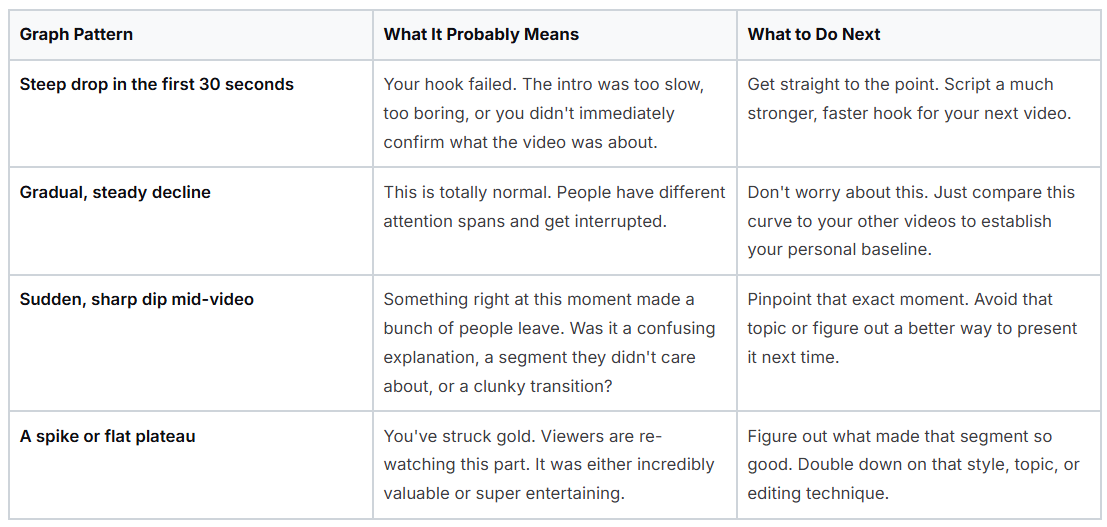
The insights from your retention graph are a roadmap for your next video. If you see a big dip when you mention a certain topic, maybe that topic needs its own video. If you see a spike when you show a specific technique, you know your audience wants more of that.
Data doesn’t mean a thing if you don’t do anything with it. The final step is to use what you've learned to make small, smart improvements over time. This is the real optimization workflow.
If a video has a low CTR (say, under 5%) but a great AVD, the problem is your packaging. People who click are loving the video, but not enough people are clicking. Your thumbnail and title are letting you down. Change them! For a deeper dive, check out our guide on the process of YouTube thumbnail A/B testing.
On the other hand, if you have a high CTR but a poor AVD, your content is the issue. Your thumbnail and title made a promise that your video didn't deliver on. Use that retention graph to see exactly where you lost people and make sure you don't make the same mistake again.
By regularly checking these metrics, you build a powerful feedback loop. You publish, you analyze, you learn, and you apply those lessons. With every single upload, your channel gets a little bit stronger.
Even with the best game plan, you're bound to run into questions as you get deeper into optimizing your videos. I get asked about this stuff all the time, so I’ve pulled together some of the most common ones to give you clear, straightforward answers for those "what if" moments.
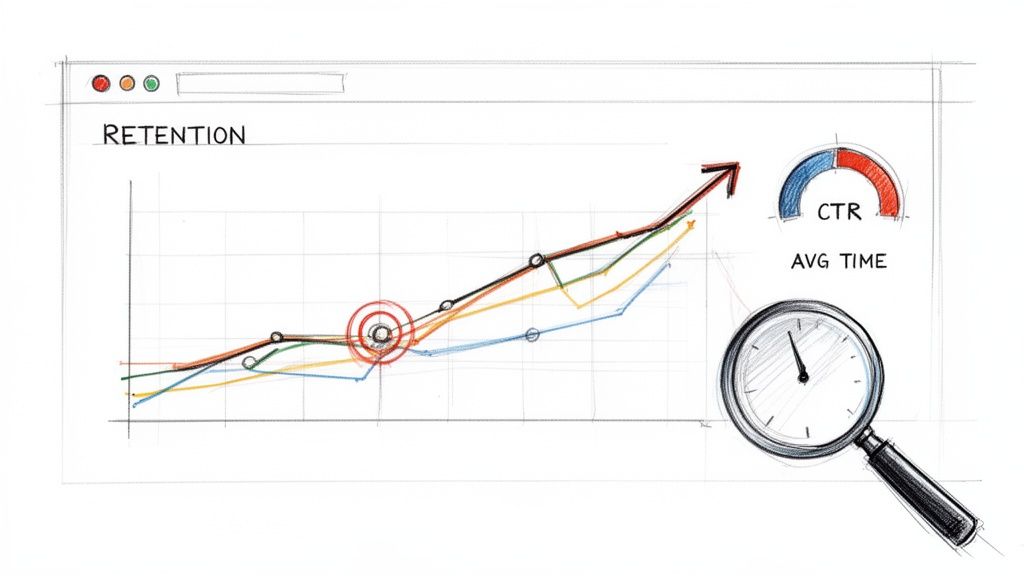
Think of this as your go-to cheat sheet for the finer points of YouTube SEO. The platform is always evolving, but these fundamentals hold true.
This is the big question, isn't it? The honest answer is: it depends. If you’re targeting a keyword with very little competition, you might see your video start to pick up steam in just a few days or weeks. But for those high-traffic, super-competitive topics, you could be looking at several months of consistent effort before you start to rank.
The key here is consistency. YouTube’s algorithm loves channels that reliably publish well-optimized videos and build a real audience. Treat SEO as a long game because it’s an investment in your channel's future, not a hack for overnight success.
Yes, a thousand times yes! Digging into your back catalog is one of the smartest things you can do. Look for videos with low click-through rates but solid audience retention. Those are your hidden gems. A good retention graph tells you the content itself is strong; the problem is simply the packaging.
Whip up a fresh, more compelling thumbnail and rewrite the title to be more intriguing. Keep an eye on its analytics for the next few weeks. You'd be amazed how often a simple creative refresh can resurrect a forgotten video, pushing the algorithm to give it another chance with a whole new audience.
Think of it this way: your old content is a library of assets. Leaving an underperforming thumbnail and title on a good video is like hiding your best book behind a plain, boring cover. A quick redesign can put it back in the spotlight.
Tags aren't the powerhouse they once were, but they're not completely useless either. Your title, thumbnail, and description do the heavy lifting in explaining your video's topic to YouTube. Tags now play a more supportive role.
Think of them as a way to clarify context, especially if your title or description contains words with multiple meanings. It’s still a good habit to add a mix of specific and broad tags that are relevant. They help reinforce all the other signals you’re sending to the algorithm.
Video length itself isn't a direct ranking factor, but its impact on watch time and audience retention is huge. There's no magic number for the perfect video length. It all comes down to the topic and the value you're delivering.
A longer video (say, over 10 minutes) that keeps people glued to the screen will almost always outperform a short video that people click away from quickly. Why? Because it accumulates a massive amount of total watch time. Your goal should be to make your video as long as it needs to be to deliver on its promise, without a single second of filler. Focus on telling a great story that holds attention, and let the length be a natural result of that.
Ready to create high-performing thumbnails without the guesswork? Thumbnail Maker uses AI to analyze your video and generate stunning, click-worthy designs in seconds. Start your free trial and see the difference it makes at https://thumbnailmaker.studio.



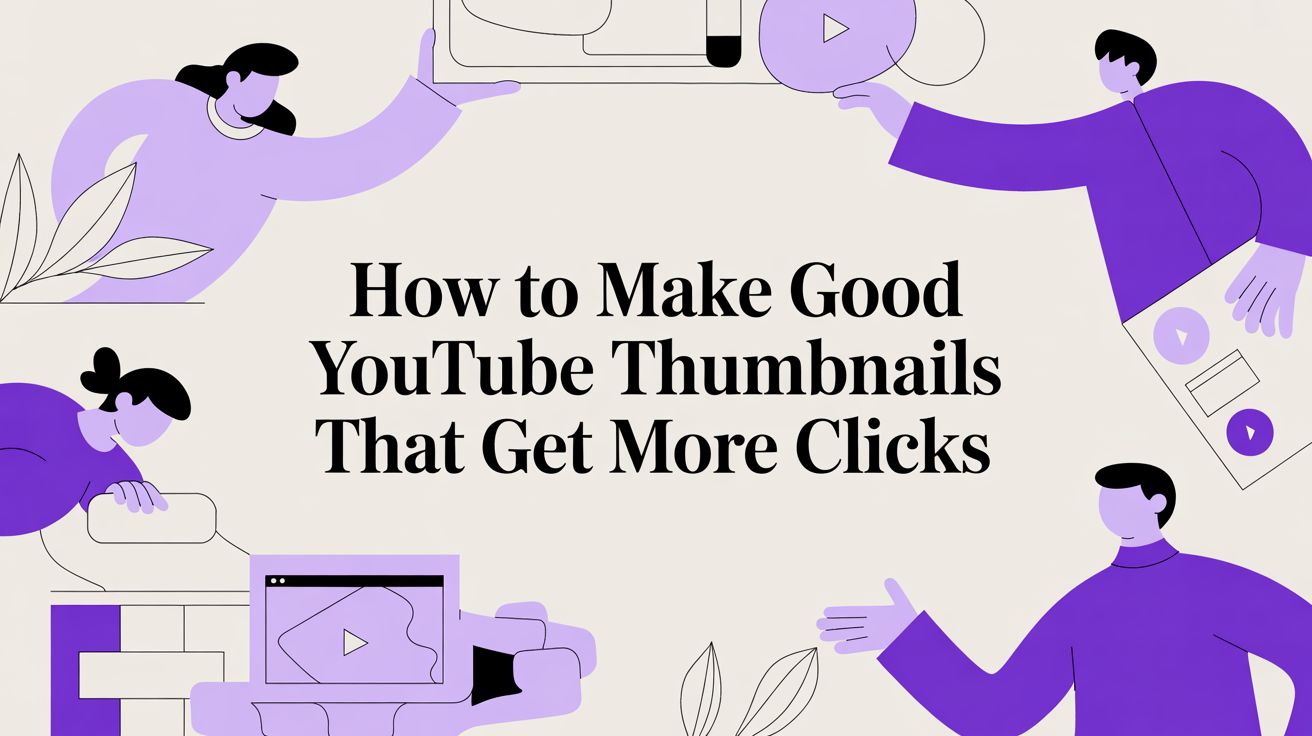
Learn how to make good YouTube thumbnails with this guide on design, psychology, and strategy. Boost your CTR and get more views with proven techniques.
Learn how adding chapters to YouTube video boosts views and SEO. Our guide covers everything from manual timestamps to AI tools for creators.
Discover how to design backgrounds for thumbnails that boost clicks. Learn design rules, color psychology, and optimization tips to increase your CTR.